Excel Resource Transfer
General Description
Excel Resource Transfer is an Add-In for Microsoft Excel, supported by all version from Excel 2000 up to Excel 2007, to import and export texts from resource files in the
- .res (binary resource) and
- .rc (resource script)
formats.
Binary resource files (.res)
On importing a binary resource file, the texts are presented in exactly the format used by the Multi-Language Add-In, as shown below. The first column contains the string ID number, followed by a column for each language. The first two rows contain the language names and the locale ID numbers.
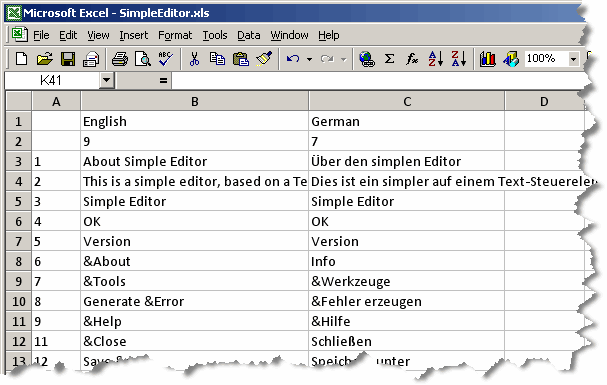
Only string resources are imported.
On exporting, you have the options:
- to create a new file
- to update an existing file
- preserving non-string resources (e.g. image resources), but replacing all of the string resources
- preserving non-string resources and any string resources which are not present in the Excel file
Resource script files (.rc)
Visual C++ projects store resources using two files:
| <project name>.rc | This a resource script file specifying the content of all kinds of resources |
| resource.h | This is a symbol file, defining symbolic names for numeric resource IDs. The symbolic names are be used in the C++ source code, but also in the .rc file. |
Excel Resource Transfer uses both these files to access both the symbolic and numeric resource IDs.
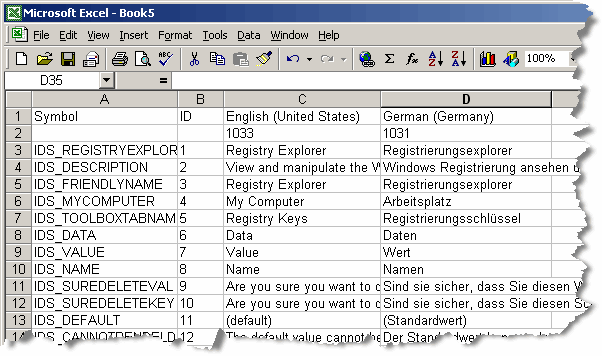
On importing a resource script, the Excel worksheet is formatted as follows
| First column | The symbolic resource IDs |
| Second column | The numeric resource IDs |
| Additional columns | Languages |
| First row | Column heading or language name |
| Second row | Locale ID |
| Additional rows | Resource texts |
and as shown in the following screenshot.
On exporting, Excel Resource Transfer does not generate completely new files. Instead, it always updates existing pair of (.rc and .h) files.
Working with Excel Resource Transfer
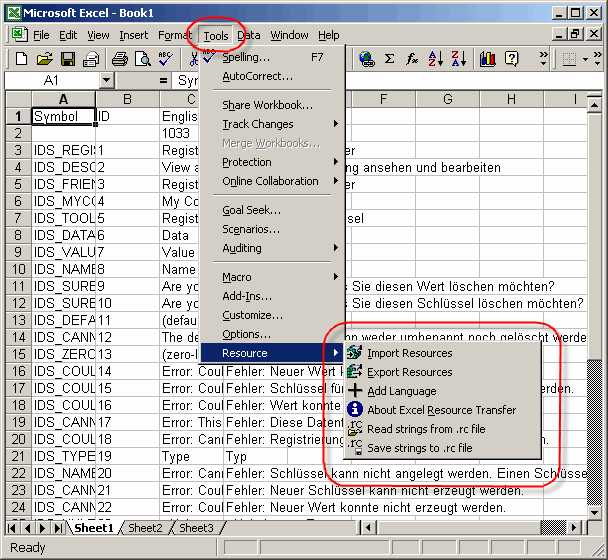
The operations supported by Excel Resource Transfer are accessed via a simple menu.
In Excel 2000 to Excel 2003, this is added to the Tools menu and appears as a submenu as shown below:
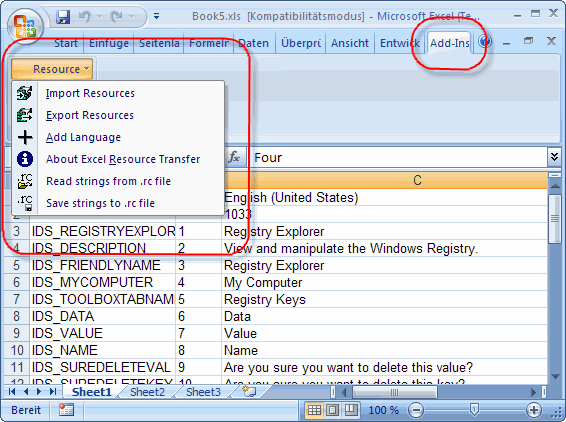
In Excel 2007, menus in their previous form have been abolished. The Excel Resource Menu now appears (hidden) on the Add-In ribbon, as shown here: